How to Run Your Own Binaries on a Jailbroken Kindle Scribe
I own a first-gen Kindle Scribe. Firmware 5.19.5. Amazon still boots it. After the public Véra jailbreak (August 2026, Ava and sparklerfish, Kindle software 5.17.1–5.19.6) I can run my own programs on it. The stock notebook UI is bad. I want a notes app I control.
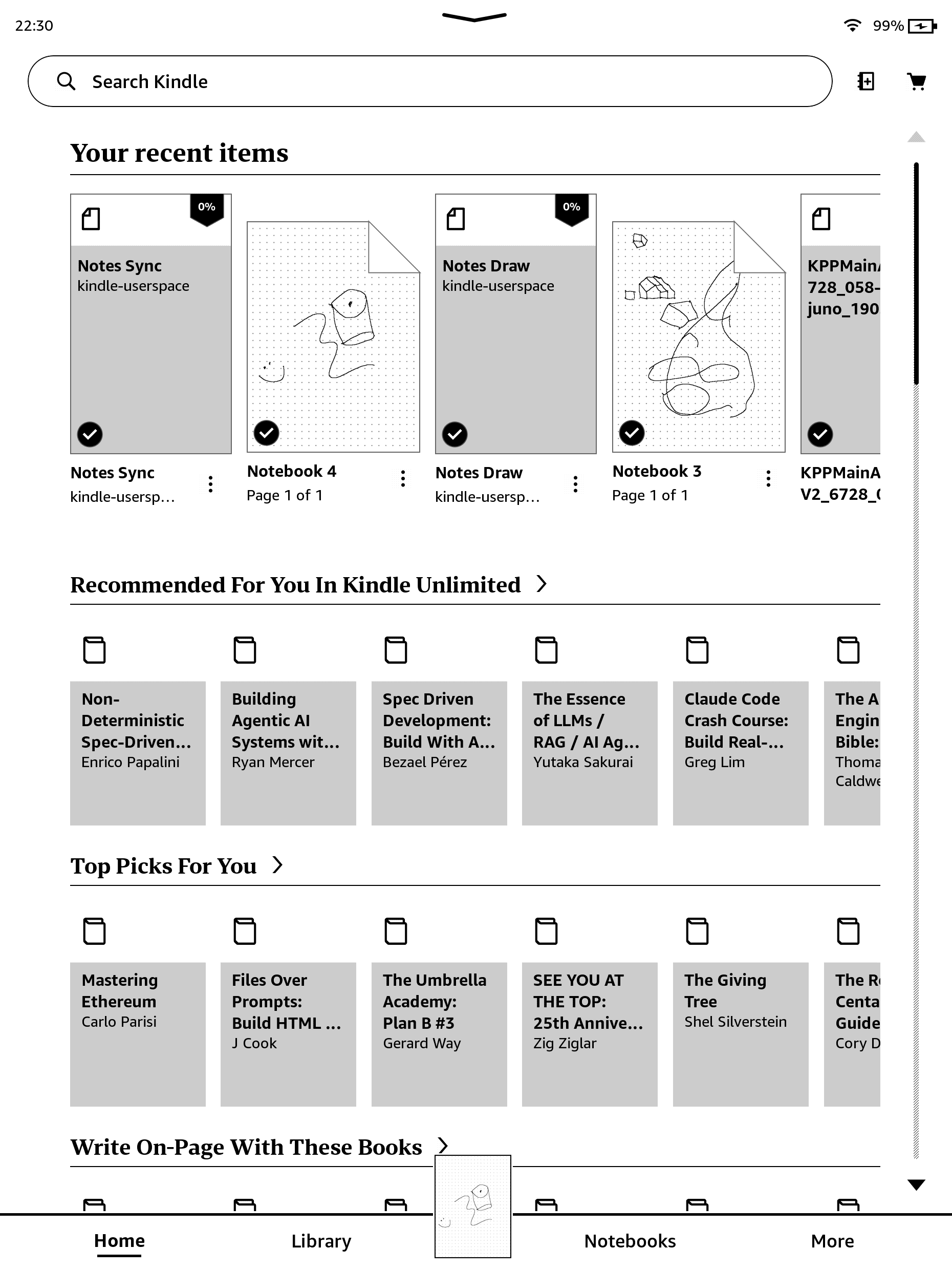
This is the home screen on this unit, pulled off /dev/fb0 over SSH. Amazon’s store still sits under my own kindle-userspace notes scriptlets.
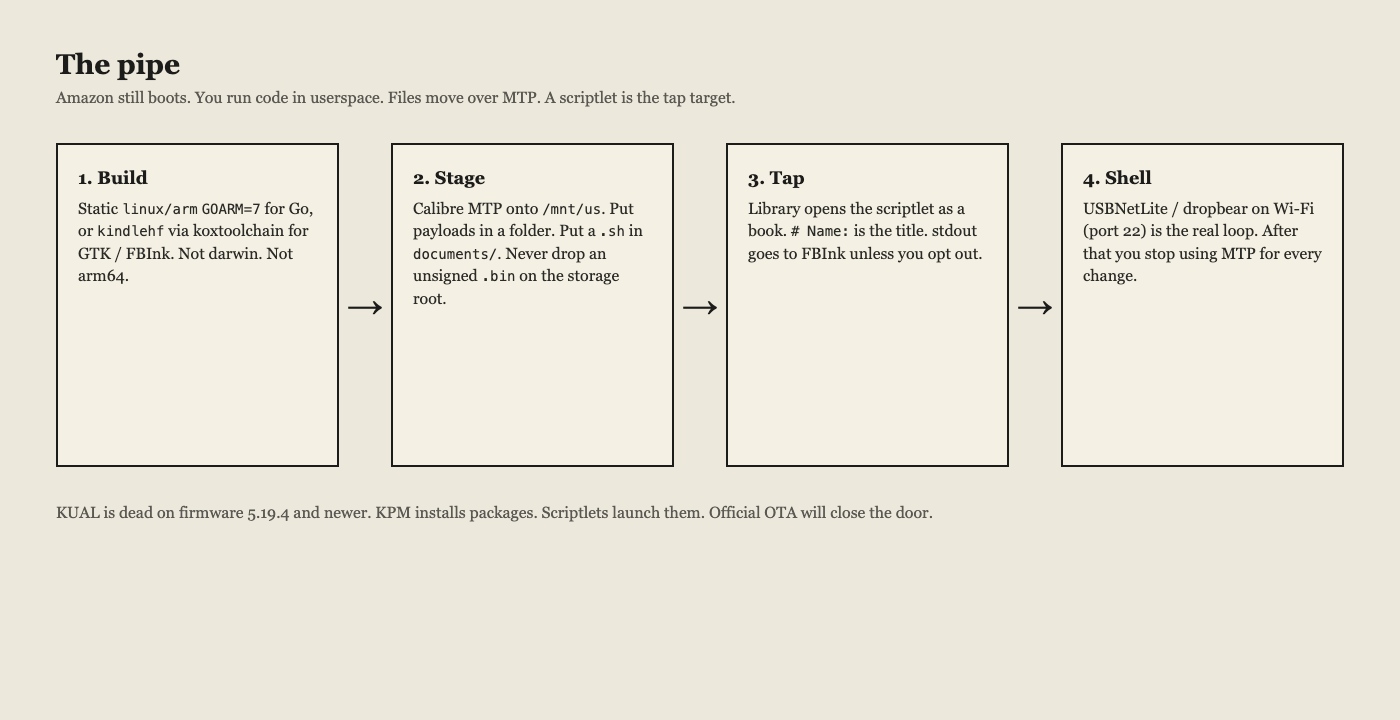
This is the pipe I used on this unit: build for kindlehf, stage over MTP, launch with a scriptlet, open a Wi-Fi shell, put git on /mnt/us, then export stock notebooks with Notes Sync. I will not unpack the jailbreak books. I will not help strip Kindle store DRM.
You do not get a custom kernel. otaup still checks RSA-SHA256 against /etc/uks/pubprodkey01.pem and pubprodkey02.pem.
L0  Open your own files
L1  Run our userspace          ← this post
L2  Replace Amazon daemons
L4  Our kernel                 ← still signed
What you need
- A jailbroken Kindle on ≥ 5.16.3 (hard-float kindlehf). This write-up is a 1st-gen Scribe, 5.19.5, kernel
4.9.77-lab126, glibc 2.35,armv7l. - Véra, or any jailbreak that leaves you KPM and scriptlets. KUAL is dead on ≥ 5.19.4. Véra does not ship MRPI.
;log mrpiprintsmrpi is not installed. - Calibre (
calibre-debug), OpenSSH, and for git:curlandtar. - The Kindle on a Wi-Fi you can reach.
You will end with files you own under /mnt/us, library books that run shell, ssh as root over Wi-Fi, and git version 2.47.3 if you follow that section.
The filesystem will fight you
/mnt/us (Internal Storage) is Kindle FSP (fuse.fsp). It behaves like FAT. ln -s returns Operation not permitted. chmod +x is mostly theater.
A normal Alpine miniroot will not extract. cp -a of a tree full of symlinks will not work. Worse: mount --bind /mnt/us or /proc into a directory on /mnt/us, then rm -rf that directory, deletes your library. I did this once. The jailbreak hotfix on rootfs survived. Books on the userstore did not.
Put payloads as regular files. If a package is a tarball of symlinks, flatten it on the computer first.
Build
Static Go CLI (no GTK, no FBInk):
CGO_ENABLED=0 GOOS=linux GOARCH=arm GOARM=7 \
  go build -trimpath -ldflags '-s -w' -o myapp-kindlehf ./cmd/myapp
file myapp-kindlehf
# ELF 32-bit LSB executable, ARM, EABI5, statically linked
Not darwin. Not arm64. Kernel 4.9 is new enough for current Go. Static means you do not care about soft-float vs hard-float libc.
A real e-ink UI (notes, full screen) needs koxtoolchain and kindle-sdk, target kindlehf, Meson, FBInk/GTK. Walkthrough: kindlemodding.org/kindle-dev/gtk-tutorial.
I built camp and fest with the Go recipe (21.9 MB and 29.7 MB on this unit). They print linux/arm and Go 1.26.4. They are not a Mac campaign. Do not launch a 50 MB TUI from a library book.
Stage over MTP
USB ID 1949:9981. Calibre ebook-device flakes on this unit. Use the driver, and quit the Calibre GUI first. MTP is single-client on macOS.
calibre-debug -e scripts/mtp-put-dir.py -- ./myapp-kindlehf bin myapp
calibre-debug -e scripts/mtp-put-dir.py -- ./Install-MyApp.sh documents Install-MyApp.sh
Do not full-scan the store. This unit white-screened after an MTP thrash in July. Recovery was a 40 second power hold.
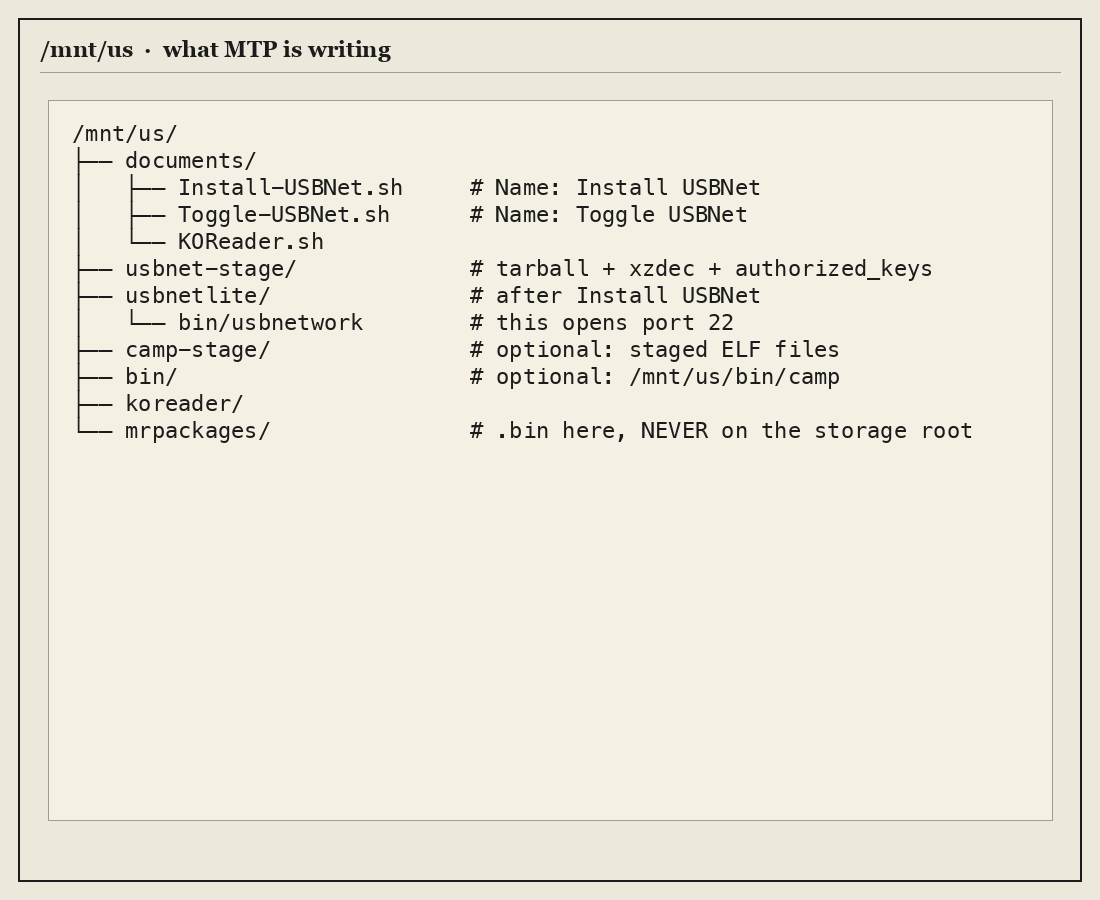
| Path | Role |
|---|---|
/mnt/us/documents/*.sh |
Scriptlets (library books) |
/mnt/us/usbnetlite/ |
dropbear + usbnetwork (regular files) |
/mnt/us/bin/ |
camp, fest, git, vim, start-ssh, notes-sync |
/mnt/us/opt/git/ |
Flattened musl git |
/mnt/us/koreader/ |
KPM payload |
/mnt/us/mrpackages/*.bin |
Only place for unsigned update bins |
A .bin on the storage root is how official OTA starts. That is how you lose the jailbreak.
Scriptlets
/mnt/us/documents/Something.sh with these headers shows up as a book. After the jailbreak, a tap runs it as root. stdout goes to FBInk unless # DontUseFBInk.
#!/bin/sh
# Name: Start SSH
# Author: lab

echo "=== starting ==="
echo DONE
Keep it short. Copy files, chmod, print DONE. If you exec a 22 MB Go binary from the book, the UI hangs and you get no log.
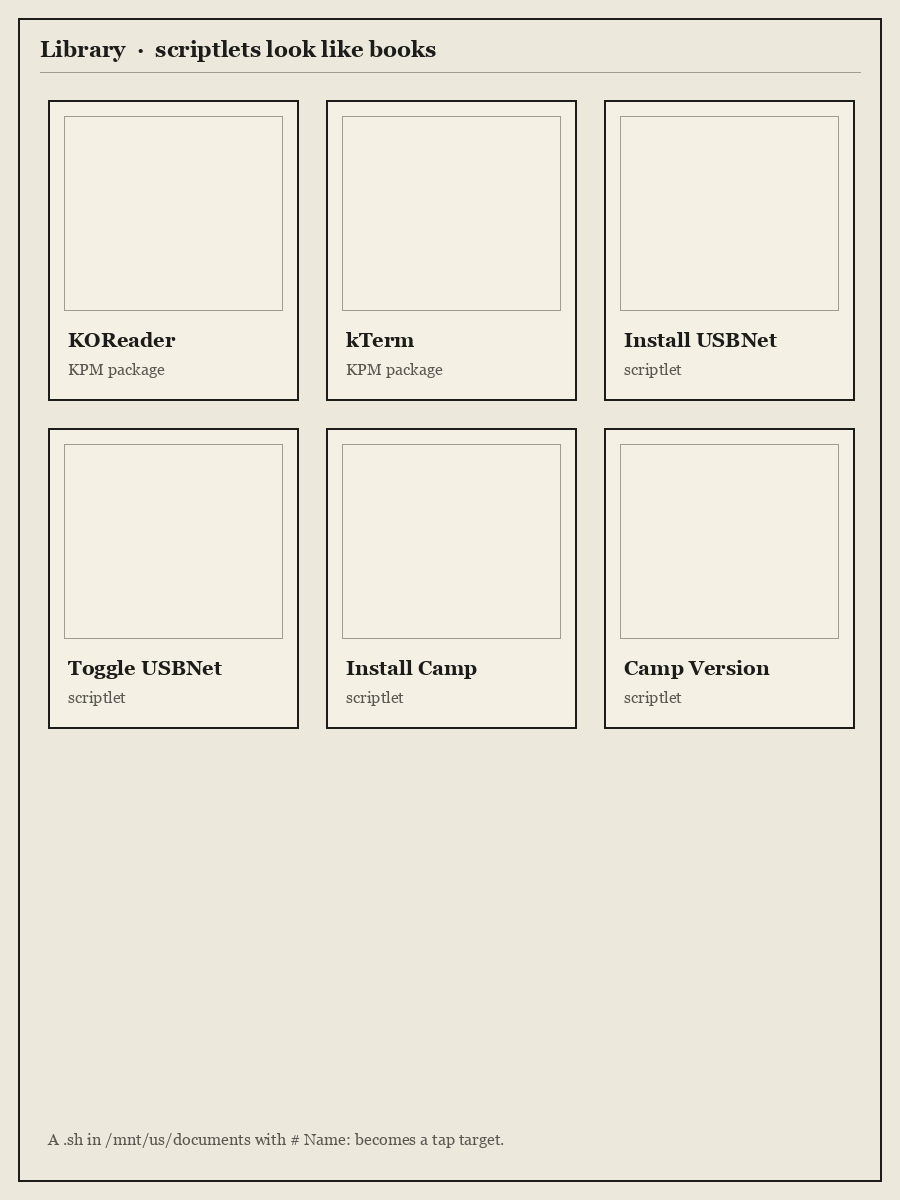
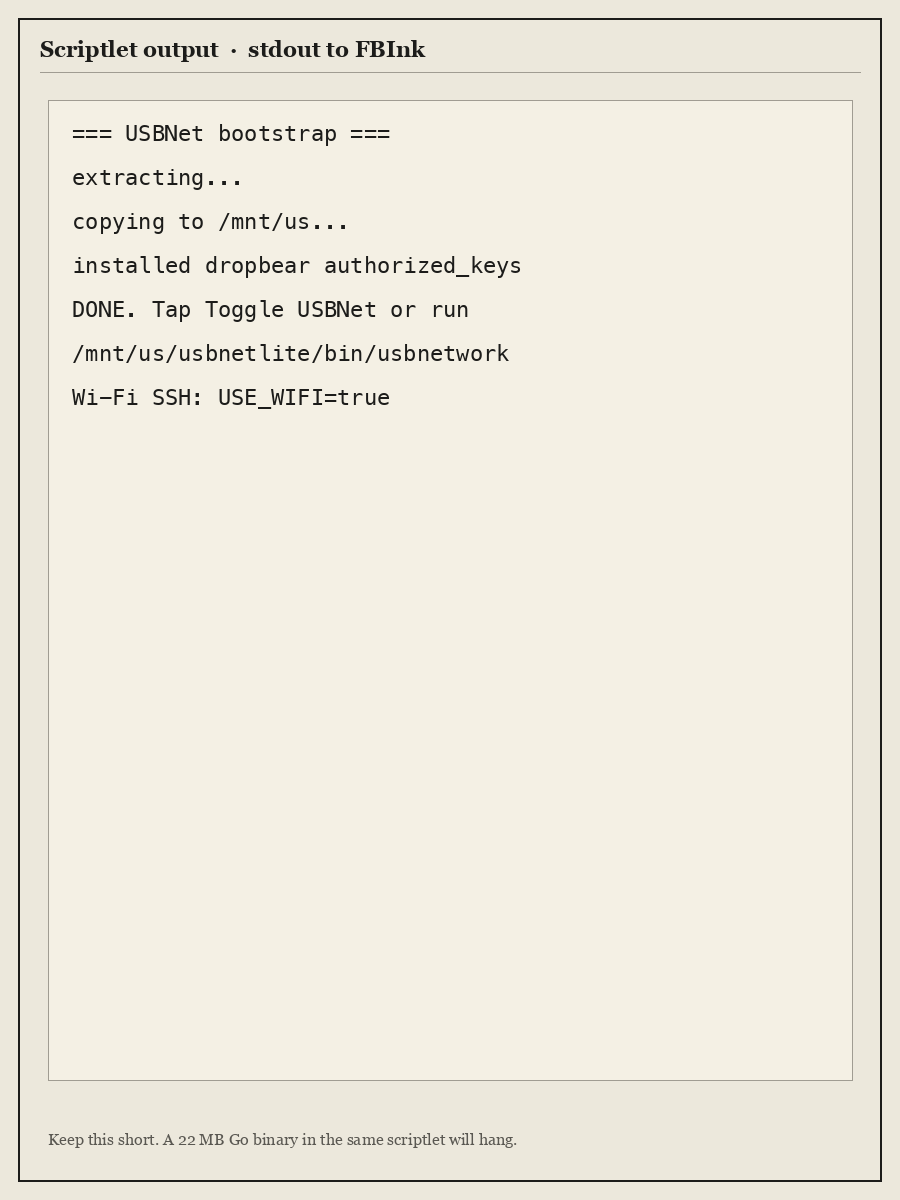
Search the library by name. New .sh files sometimes need a restart to appear.
KPM installs packages: ;kpm update, ;kpm install koreader. KOReader.sh without the koreader/ tree does nothing useful.
Wi-Fi SSH (do not use Toggle USBNet)
USBNetLite (khf / libcrypt.so.2) is the Scribe-correct dropbear package. notmarek/kindle-usbnetlite; khf rebuild MobileRead 369990 (Update_usbnetlite_1.2.4_install_khf.bin).
Unpack the .bin on the computer. MTP the already extracted files into /mnt/us/usbnetlite/bin/ (dropbearmulti, usbnetwork, …). Do not ask the Kindle to tar/xz if you can avoid it.
Do not tap Toggle USBNet. That script calls volumd useUsbForNetwork 1, puts the device on a USB-ethernet page, and the only reliable exit is power off. It also starts dropbear in a mode that fought OpenSSH on this Mac after a host-key rotate.
After a reboot, tap a Start SSH scriptlet or run /mnt/us/bin/start-ssh. That script copies keys into /mnt/us/.ssh/authorized_keys (dropbear -H /mnt/us), kills a wedged dropbear, then:
/mnt/us/usbnetlite/bin/dropbearmulti dropbear -R -H /mnt/us -p 22 -K 15 -s
iptables -I INPUT -i wlan0 -p tcp --dport 22 -j ACCEPT
-R generates host keys if missing. -s disables password login.
Host scribe
  HostName KINDLE_IP
  User root
  IdentityFile ~/.ssh/id_kindle_scribe
  IdentitiesOnly yes
  StrictHostKeyChecking accept-new
  HostKeyAlgorithms +ssh-rsa
  PubkeyAcceptedAlgorithms +ssh-rsa,ssh-ed25519
KINDLE_IP is whatever the tablet has on your LAN. On this bench it was 192.168.8.142. accept-new still rejects a rotated key. After a wipe:
ssh-keygen -R KINDLE_IP
ssh scribe
Connection refused means dropbear is not running. Reboot does not start it. Host key verification failed means you forgot -R cleanup. Connection closed during KEX was a wedged dropbear here; kill it and run start-ssh again.
USB gadget (192.168.15.244 on the Kindle) is optional and kills MTP while it is on. I do not use it.
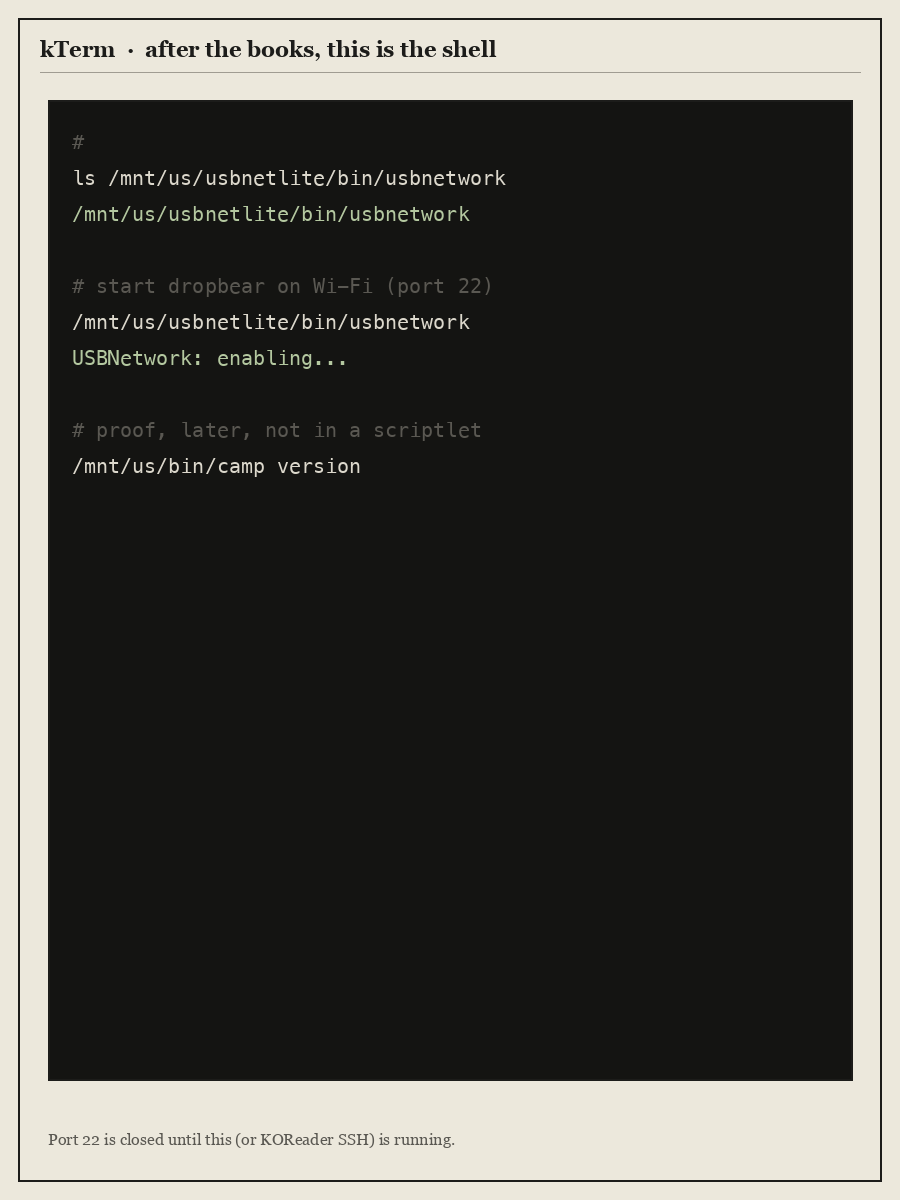
KOReader → Tools → More tools → SSH is a backup (v2026.07.1 on this unit).
Watch it from a travel router
I did not put the Scribe on house Wi-Fi. It joins a GL-AXT1800 (OpenWrt) so I can see what it phones home to. The AP is the tap. That is not a break of Amazon’s boot chain.
On this bench the Scribe’s lease is 192.168.8.142. The router LAN is 192.168.8.1. The Mac stays on house ethernet and adds a second address:
sudo ifconfig en0 alias 192.168.8.179 netmask 255.255.255.0
ssh gl-axt1800   # [email protected]
ssh scribe
If the GL LAN is also on the house switch, unplug it when you are done. Two DHCP servers on one L2 will NAK each other’s clients. Do not factory-reset the GL if you care about the lab SSH key.
DNS sinkhole. dnsmasq maps a short list to 0.0.0.0: api.amazon.com, unagi-na.amazon.com, cde-ta-g7g.amazon.com, www.amazon.com, audible.com, images-amazon.com, a2z.com, and a few more from captures. Jailbreak hosts (tene7.com, repo.kindlemodding.org) still resolve.
The list does not cover all of Amazon. todo-ta-g7g.amazon.com and softwareupdates.amazon.com still return public A records. This does not block Settings → Update. Airplane mode, or staying off house Wi-Fi, is what keeps this unit off official OTA. After you change the list, toggle Kindle Wi-Fi so it drops cached answers.
Captures. tcpdump is on the GL. I ran time-boxed dumps on the LAN, filtered to the Scribe, then pulled DNS and SNI into a host inventory and decided what to add. Query logging is not on all the time. You do not install a sniffer on the Kindle.
I own the path off the device. I do not own the boot chain.
Git (no symlinks)
Debian armhf git drags half of gnutls. Alpine-in-chroot wants binds. Both are the wrong first move.
Working recipe on this Scribe (2026-08-17): git 2.47.3, musl, armv7, no chroot.
On the computer, from Alpine v3.21 armv7:
- Download
git-2.47.3-r0.apk,git-init-template-2.47.3-r0.apk,pcre2,libexpat(theexpatAPK is onlyxmlwf),libcurl,brotli-libs,c-ares,libidn2,libunistring,nghttp2-libs,libpsl,zstd-libs,libcrypto3,libssl3,ca-certificates-bundle,libgcc. The Kindle’s ownwgetreset on that CDN. Download here. - Extract each APK (
tar -xzf; skip.PKGINFO/.SIGN.*). - Build a flat directory:
lib/ld-musl-armhf.so.1from the musl package- copy the same file to
lib/libc.musl-armv7.so.1(no symlinks) - copy each
.so.*under the soname gitDT_NEEDEDs (libpcre2-8.so.0,libz.so.1,libcurl.so.4, …) bin/git(the real ELF)- only regular files from
usr/libexec/git-core(do not dereference the 141 copies ofgit) - copy
git-remote-httptogit-remote-https - CA bundle →
ssl/cert.pem
find flat -type lmust print nothing. Packgit-kindlehf.tar.gz.
On the Kindle, once SSH works:
scp git-kindlehf.tar.gz scribe:/mnt/us/
ssh scribe
mkdir -p /mnt/us/opt/git /mnt/us/bin
tar -xzf /mnt/us/git-kindlehf.tar.gz -C /mnt/us/opt/git
Wrapper /mnt/us/bin/git:
#!/bin/sh
ROOT=/mnt/us/opt/git
export GIT_EXEC_PATH="$ROOT/libexec/git-core"
export GIT_TEMPLATE_DIR="$ROOT/share/git-core/templates"
export SSL_CERT_FILE="$ROOT/ssl/cert.pem"
export GIT_SSL_CAINFO="$ROOT/ssl/cert.pem"
exec "$ROOT/lib/ld-musl-armhf.so.1" --library-path "$ROOT/lib" "$ROOT/bin/git" "$@"
chmod 0755 /mnt/us/bin/git
export PATH=/mnt/us/bin:$PATH
git --version
# git version 2.47.3
mkdir /tmp/t && cd /tmp/t
git init && echo hi > README && git add README
git -c user.email=you@local -c user.name=you commit -m test
That is the proof. HTTPS remotes use the CA file in the wrapper.
Notes Sync (stock notebooks → git)
Amazon still draws the notebook. I still want the ink in a repo I control.
Notes Sync is a scriptlet. Write in the stock Notebook tab, close the notebook, tap Notes Sync. The device copies what is already on disk under /mnt/us/notes and git pushes to a private remote. Start SSH is not required for that tap.
It is not a replacement notes app. Amazon still owns the UI and the .nbk format. Cloud-only notebooks stay MISSING until you open them once so the .nbk lands on disk. On this unit (2026-08-18) that was 2 of 15 notebooks until I opened the rest.
Notes Draw on the home screen is a different experiment: a framebuffer probe. It crashed KPPMainAppV2. Do not use it as the product.
See the panel from the desk
I cannot see the e-ink from SSH. mmap + FBInk refresh on this Scribe paints a black panel. eips row/col text stacks on one line. The path that actually shows is a full-screen PNG via:
eips -g /mnt/us/root-log.png -f -w gc16
A still poster is not the loop. The loop is: SSH a real command, render 1860×2480 of the session so far, eips -g it, look at the desk.
The desk camera is an Insta360 Link 2. gaze is how the agent gets eyes: native UVC PTZ, no vendor app. gaze see is a JPEG of the Scribe sitting on the desk. gaze deskview aims the gimbal at the table. MCP is gaze mcp; q=v is the frame.
gaze list
gaze deskview
gaze see
Quit the Insta360 controller first. If tracking is on, the cam stares at a face instead of the Scribe. gaze track off. Do not commit those stills.
From the campaign root the SSH/paint loop is still:
just cam-list
just cam                      # lab/cam/latest.jpg
just cam-live                 # SSH to the Scribe, each command re-paints
If a JPEG of black e-ink looks empty, dump /dev/fb0 (1860×2480 Y8, stride 1872) and read the buffer.
What I ran on this unit
Serial G0922707251300S0. Véra: Font Calibration is supposed to be blank. Save theme (Bookerly, bold 0, max size, spacing 2), open the Véra book. Success string: RESTARTING GUI. Then ;kpm install koreader.
USBNetLite unpacked on the Mac, pushed as a flat tree. After reboot, /mnt/us/bin/start-ssh. ssh scribe as root. Selected Amazon names sinkholed on the GL; tene7.com left open. camp / fest / git 2.47.3 / vim 9.1 / notes-sync under /mnt/us/bin.
Pen: /dev/input/stylus → event3 (WacomDigitizer). Touch: /dev/input/touch → event4 (pt_mt).
If it breaks
| What you see | What it is |
|---|---|
;log mrpi does nothing / “not installed” |
Véra has no MRPI. Do not wait. |
| Install USBNet hangs | On-device xz/tar of the package. Push the extracted usbnetlite/ tree instead. |
| Stuck on a USBNet / RNDIS page | You tapped Toggle USBNet or plugged USB with gadget on. Power off. Do not use that book. |
ssh: Connection refused |
Dropbear is not running. Run /mnt/us/bin/start-ssh. |
REMOTE HOST IDENTIFICATION HAS CHANGED |
New host key. ssh-keygen -R <ip>. |
Connection closed in KEX |
Wedged dropbear. Kill it, run start-ssh, do not Toggle. |
| KOReader book does nothing | KOReader.sh without /mnt/us/koreader/. ;kpm install koreader again. |
| Scriptlet missing from library | Search. Restart once. Confirm the file is in documents/ and has # Name:. |
| Application Error dialog | A library book stole /dev/fb0 (eips/mmap) while KPP still owned the booklet. Tap the dialog. If it loops, 40s power hold. Do not paint the panel from a scriptlet. Use SSH (just cam-live) after Start SSH. |
| Extract “can’t create symlink” | Flatten on the computer. |
Don’t
- Official Settings → Update (Véra ceiling here is 5.19.6).
- Factory reset (kills the hotfix).
- Put an install
.binon the Kindle root. - Expect KUAL.
rm -rfanything that might have/mnt/usor/procbind-mounted.- Extract Alpine onto
/mnt/us/alpine. - Run a 20+ MB TUI inside a scriptlet.
- Store Véra
*-jb.azw3in git.
Notes Sync is the export pipe. A kindlehf notes surface that reads the Wacom node and writes SVG/PNG I own is still a different product. Amazon’s notebook format can stay Amazon’s.